
How do I edit B2B pricing?
You can bulk edit your B2B wholesale prices using the Bulk Product Edit (BPE) app. By selecting B2B Pricing from the list of features on the app dashboard or by going to the Bulk Edit page.

From there, you can select the wholesale market you would like to change pricing for, and adjust the prices accordingly.
Steps
- Select which Company Location Catalog you want to bulk edit. If you can't see any of your B2B catalogs, click the Sync Company Location Catalogs button and our app will fetch your existing B2B catalog data.

-
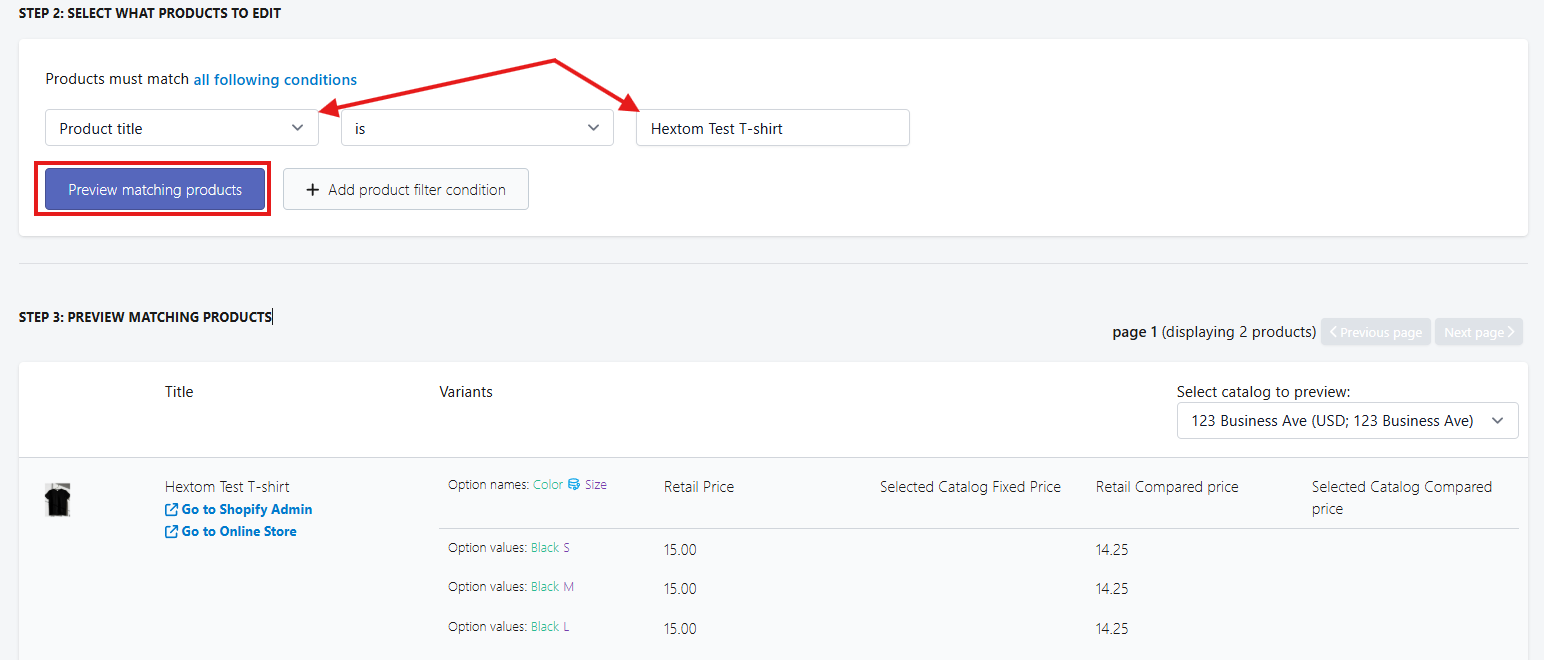
Set up your product filters and preview the matching products. We have different types of conditions you can use to filter the products you want to edit.
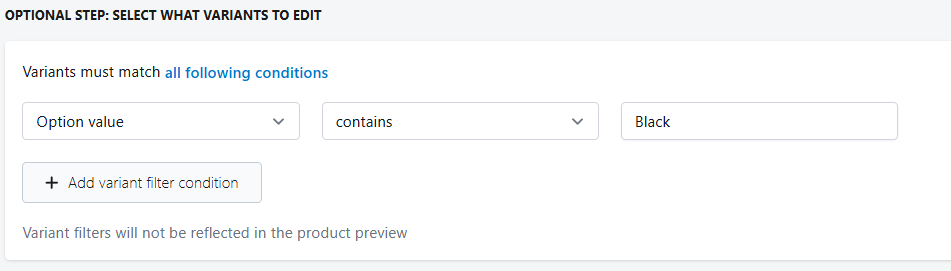
Optional Step: You can also set up a variant filter if you want to bulk edit specific variants — for example, only variants that contain Black.
-
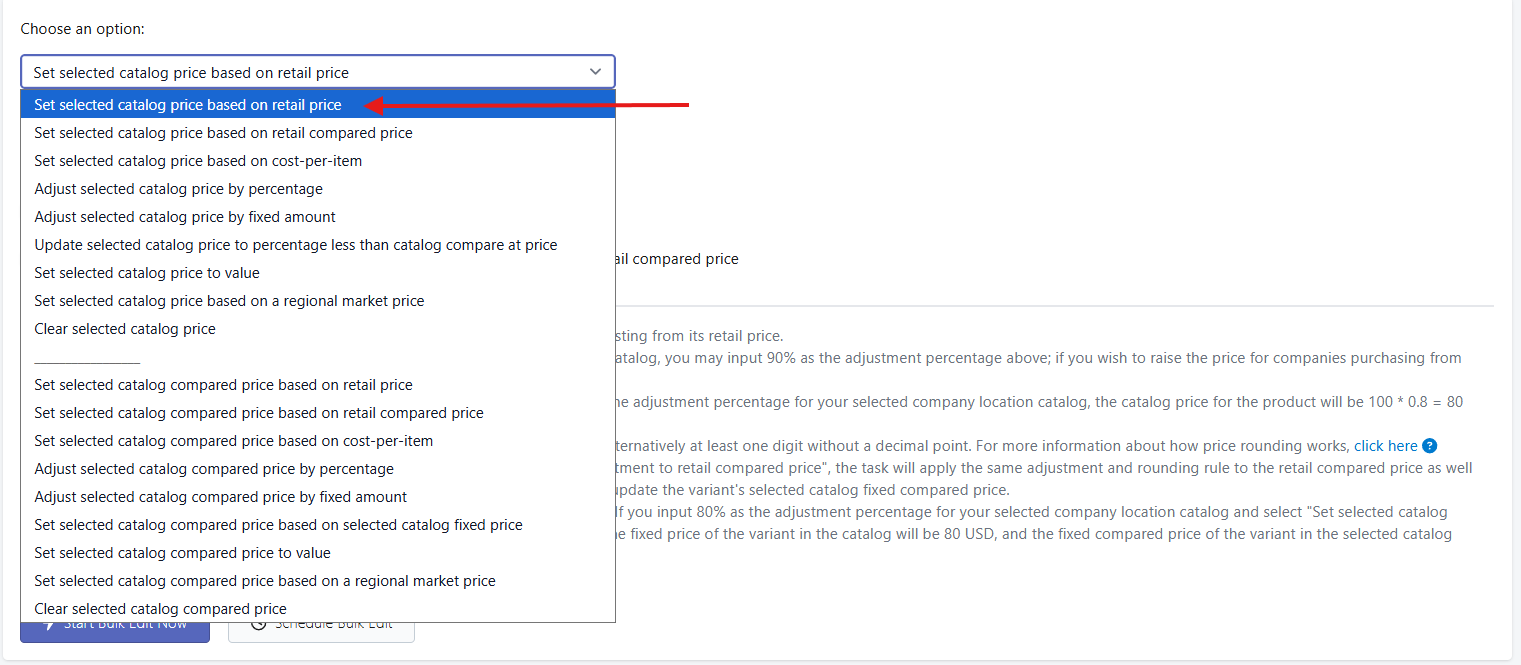
There are several options to bulk edit your B2B pricing. Select your preferred bulk edit option or action for how you'd like to bulk edit your B2B pricing. Once selected, fill in the required fields and click Bulk Edit Now or Schedule Bulk Edit.
In CSV Import, you can also edit B2B wholesale prices by using the variant B2B price field in your CSV file.

For detailed steps on using CSV import and export in the app, please refer to: Tutorial on Product CSV Import & Export
If your store is unable to access this function, please send us an email at help@hextom.com.